Stochastic Software Development
Agentic engineering
I recently decided to start a blog. I could probably find some existing blogging platform to adapt to my needs, but what would be the fun of it? Let’s use AI agents to build my own AgBlogger platform!
Here are my requirements for AgBlogger.
- Markdown-first. Posts are
.mdfiles with YAML front matter. Everything should be human-readable and editable without touching the web interface. At the same time, it should be possible to edit posts in an interactive web editor with instant preview. - Rich markdown. I want math formulas (like i\hbar\frac{\partial}{\partial t}\Psi(\mathbf{r},t) = \hat{H}\Psi(\mathbf{r},t)), code syntax highlighting, embedded images and videos, all GitHub and Pandoc markdown extensions.
- Labels. Hierarchical labels (hashtags) with a complex dependency graph.
- Bidirectional sync. I want to sync between my local blogpost files and the server, with automatic merging of parallel changes.
- Cross-posting. Publish to popular social networking sites.
What I really wanted, though, was to test out my AI coding workflows that I’ve been honing for the past three months. This post is primarily about AI-assisted software development. Not “vibe coding”, mind you, which vaguely implies lack of technical understanding of what you’re building. AI-assisted coding at level 4 of Dan Shapiro’s AI coding hierarchy, where you’re no longer a “coder” but an agentic engineer – a high-level system architect and an orchestrator of autonomous AI agents.
I don’t write any of the code. I don’t even manually review it line-by-line (except small well-chosen portions). I do keep track of what’s going on in the codebase, but not on the level of individual code lines. AI agents write the code, review it, test it, fix bugs, and explain to me what’s happening on a technical level. I occasionally tell them to check on or fix a specific aspect. I ask for rationale behind implementation decisions, push back on suboptimal choices, decide on high-level architecture, and at all times maintain a mental model of the entire system. When I begin feeling I’m no longer keeping up, I pause to ask for codebase explanations. I maintain a framework to keep the agents in check and make them progress toward something sensible.
AI coding agents are still tools, but very different ones from anything a software engineer had access to before. They are power tools and you can hurt yourself badly if you use them ineptly. You need software engineering and computer science fundamentals. Perhaps more than ever. Without them, you may have some luck vibing a buggy prototype, but not much beyond that.
More important than knowing how to use a tool, is knowing when not to use it. The methodology described here can produce small- to medium-scale mainstream software of acceptable quality in non-critical domains. But I wouldn’t write a banking app this way. Not yet.
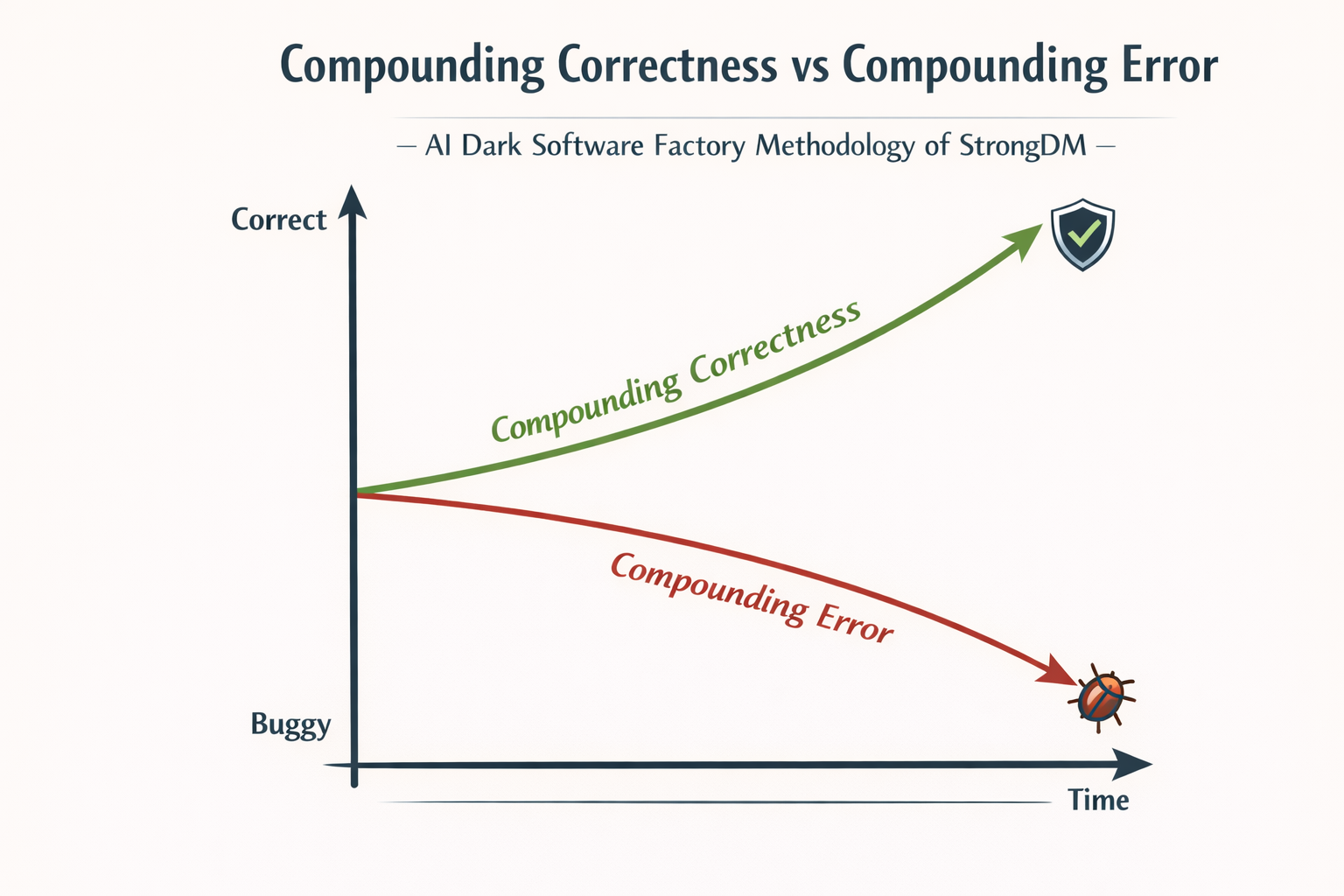
Compounding correctness
Anyone familiar with the concept of compound interest understands that if you deposit money in a bank at a fixed annual rate of 1%, the amount will double after 70 years. Somewhat relatedly, if you buy enough lottery tickets, you’re likely to hit the jackpot. If only the tickets were free…
Assume for the sake of argument that software “correctness” — how close it is to intended functionality — can be measured numerically. If we had a stochastic method that could modify software to produce, on average, a small net increase in correctness, we could just keep applying it over and over to converge on a correct working system. Correctness would compound.
AI agents tend to break things. But they also tend to fix things. The question is: do they, on average, fix more than they break? For recent top-tier coding models, the answer seems to be a qualified yes.
One problem with this vague argument is that it assumes changes to be independent. If one fix can deterministically break another fix, the agents may end up looping, fixing and breaking the same thing over and over. Even though AI agents are stochastic, such loops do happen occasionally, requiring human intervention. Another problem is that the fix-to-break ratio is not uniform – it depends heavily on the prompt, the agentic framework, and the state of the codebase. There is no guarantee that you won’t hit a long stretch where things keep breaking and nothing gets fixed. Human oversight is needed to prevent this from happening.
The idea of compounding software correctness originates from StrongDM’s Software Factory – a software development methodology at level 5 of AI coding hierarchy, where you don’t even orchestrate the agents or make architectural decisions yourself – you just define the requirements, set up the agentic framework, and let the agents run autonomously. The famous Ralph Wiggum loop is based on similar ideas. I don’t think current AI technology is nearly good enough for fully autonomous level 5 software development, unless you want to spend a fortune in tokens on MVP clones of well-specified SaaS apps, buggy C compilers or broken web browsers. Human input is crucial to make correctness compound.
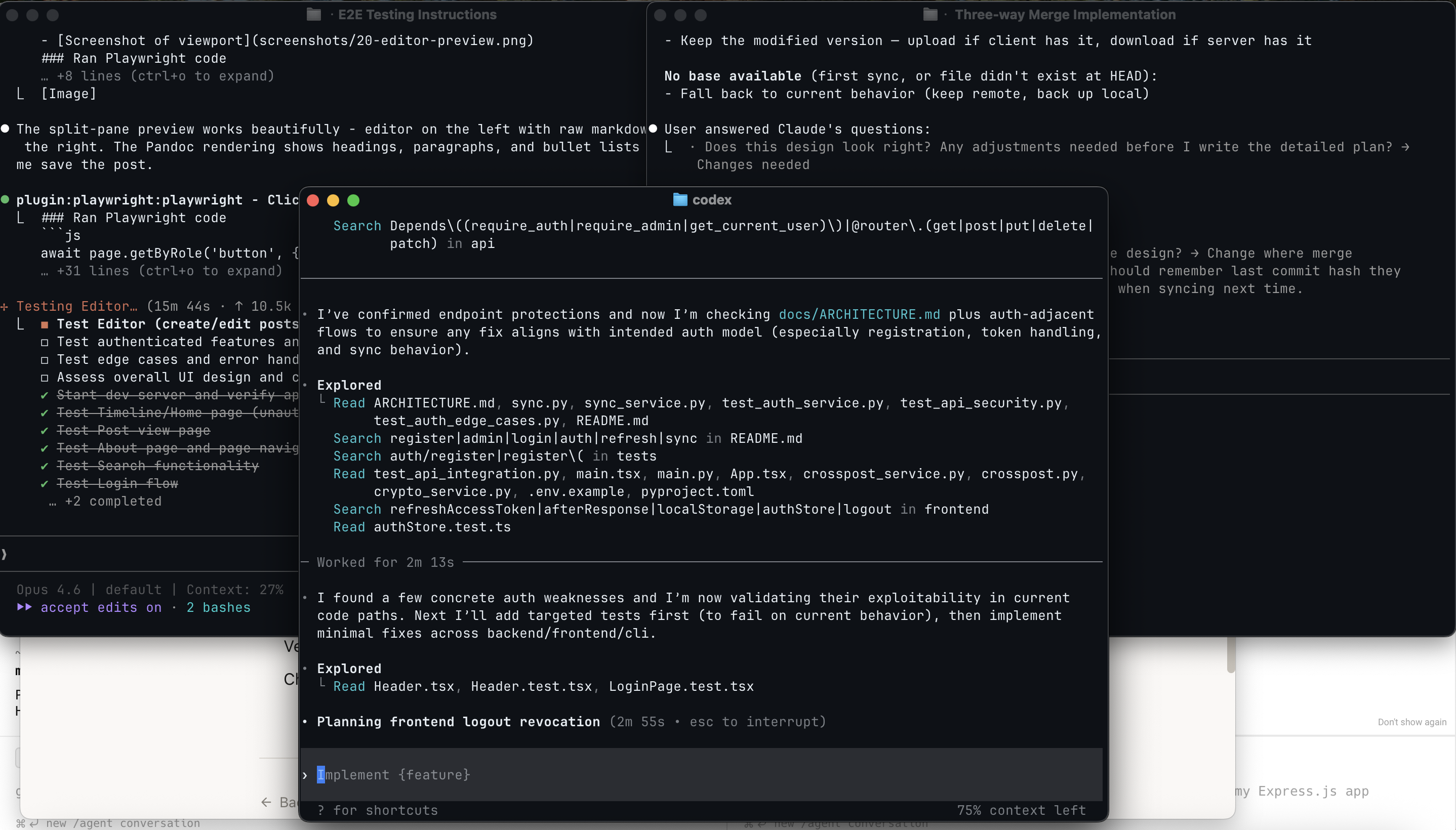
After an AI coding agent generated hundreds of lines of code implementing an entire feature, how do you know it didn’t introduce any bugs? First of all, why don’t you just ask it? This strategy would make no sense with a human co-worker, and here’s where most people fall into the anthropomorphizing trap. AI coding agents aren’t human. They are probabilistic systems. If an AI agent introduces some bugs, it’s not because it doesn’t know better. What it generated was just the most likely response to your prompt and the context. When you explicitly ask about bugs, you’re priming the agent to look for and fix them. AI “knows” better – it has been trained on billions of lines of code and the collective knowledge of the world’s software engineering experts. You need to keep prodding it to make use of this knowledge.
You can try a simple experiment. Tell your agent to “fix all bugs”. It will go on to find some bugs and fix them. When you ask again, it’ll likely find more bugs and fix them. You can keep on asking, but at some point it’ll decide that there are no more bugs and you’re just being annoying. To keep tilting the odds in favor of correctness, you need to be more specific and creative.
The anatomy of an AI coding agent
An AI coding agent is an LLM embedded within an agent harness that provides control flow, tool access, memory, and environment interaction. An agent harness is a deterministic software layer that elevates a probabilistic LLM from a stateless inference function into a stateful, goal-directed agent.
Model choice is most important, but a poor harness can turn a smooth experience into a painful one. For best results, use the most recent top-tier coding models available. For AgBlogger, I mostly use Claude Opus 4.6 High Effort with Claude Code and GPT-5.4 High with OpenAI Codex. It’s safest to use a model with a harness released by the same company – this ensures they’ve been tested to work well together. For advanced users who want fine-grained control, Pi is an interesting choice – a highly customizable minimal harness. Above a certain threshold, raw LLM benchmarks are not very reliable for choosing a coding model. It matters a lot how good the model is at cooperating with the agent harness. Anecdotally, Opus 4.6 and GPT-5.4 are the best models for coding as of April 2026.
In case you haven’t tried this yet, a coding agent CLI looks like this: 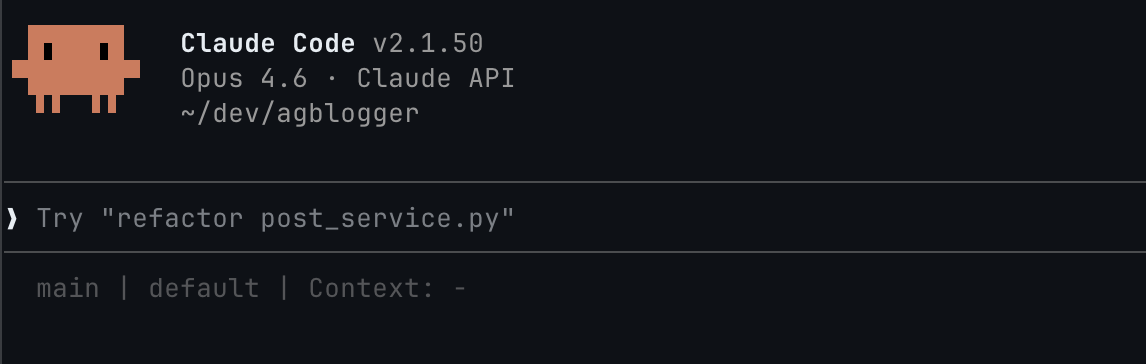 You just chat with it. The difference with a chatbot is that it can do things on your computer – use tools to read and write files, run bash scripts, fetch webpages, anything you allow it to do. The LLM decides which tools to use, and the agent harness executes the tool calls, optionally asking the user for permission. I run coding agents in a sandbox with auto-allow to avoid excessive permission requests.
For non-technical people, Anthropic recently released a more user-friendly version of Claude Code rebranded as Claude Cowork. The technology is not fundamentally limited to coding automation – people have used it to analyze raw DNA data, create marketing campaigns or grow tomato plants.
Before we dive deeper into AI coding, here are a few concepts you should know.
- Context is the model’s working memory. It consists of your prompt, conversation history, system instructions, and other relevant information, assembled by the agent harness. Model context is limited to effectively around 200k tokens. Once the limit is reached, the agent compacts the context, forgetting most of the conversation history.
- Skills are reusable prompts with optional executable scripts and other assets. They are activated on demand. For each skill, only a short description is kept in the context. The agent decides autonomously which skills to use based on their descriptions. You can also activate skills explicitly yourself.
- Commands are user-initiated shortcuts (prefixed with
/) that provide quick access to built-in operations, predefined prompts, or skills within a coding agent’s interface. - MCP servers are services that provide tools and resources to AI agents through the Model Context Protocol.
- Subagents handle focused tasks in separate context windows and report results back to the main agent. The primary purpose of subagents is context isolation – tokens from a subagent don’t use up the parent’s context window.
- Plugins in Claude Code are just bundles of related skills, MCP servers, and subagents, packaged together.
- AGENTS.md is a repository-specific instruction file for AI coding agents. It is read by the agent at the start of every conversation. Claude Code refuses to be compatible with common conventions and reads
CLAUDE.mdinstead (I make it a symbolic link).
Context is precious
Imagine your memory being wiped clean every time you walk through a doorway. You forget the layout of the house, why you stood up, and what you were trying to find – only for someone to hand you a sticky note with a few cryptic bullet points and say, “Here, this should help.” That’s essentially the reality of an AI coding agent: operating in a constant state of amnesia, guided only by fragments of context left behind for it to reconstruct intent and move forward.
The longer your agent can operate before bumping up against context limits and triggering compaction, the better. This is one of the most important principles of agentic engineering. When compaction kicks in, the agent loses memory outright. But even before that point, performance deteriorates as context size grows. What’s more, since LLMs are stateless, the agent re-sends the entire context on every query. You pay for the full context on every step, not just for new information. These realities shape how you should use coding agents: which capabilities to reach for and when. If none of these constraints existed, you could dump everything into one endless conversation and never look back.
Conserving context is only half the battle. The other half is making sure what’s in there actually matters. This is tricky, because you don’t curate the context directly. The agent fills it, based on the files it reads, the tools it calls, and the history it accumulates. You shape the context indirectly: through clean code organization, focused task descriptions, and clear entry points. A sprawling repo full of dead code and vague naming floods the context with noise, crowding out what matters. The cleaner your codebase reads, the better your context works.
One of the worst things you can do is make the context inconsistent. Be precise in your prompts and never contradict yourself. Keep all documentation up-to-date with the codebase. Beware of context poisoning – AI agents are good at compounding, and you don’t want them to start compounding errors. Clear the context when no longer needed – when starting work on a new feature, asking unrelated questions, switching from implementation to code review.
Because context is precious, you need to be careful which skills and MCPs you use. MCPs are more often harmful than useful. Bloated MCP tool metadata fills the context window, even if never used. Prefer CLI commands over MCPs. Just tell the agent to use a command. Provide short descriptions for custom commands it doesn’t know about. MCPs are useful for things that require persistent session state or cannot be easily controlled from the command line. For the AgBlogger project, I use the Playwright MCP for browser automation. One MCP is a reasonable limit. Prefer zero.
Skills are better than MCPs for context conservation – when not used only a short description is present. It’s not harmful to have a couple dozen skills sitting around in the context, waiting to be activated. But don’t overdo it. Too many skills will confuse the agent – it might just not use them, or activate irrelevant ones. Avoid skills that are mostly fluff, explaining what the LLM is likely to follow anyway. Good skills provide structured workflows or concrete domain-specific rules. I actually read every skill before deciding to install it.
Research, plan, implement
To operate effectively, AI coding agents need structure. Shooting off vaguely formulated prompts might work sometimes, but without additional constraints it’s likely to eventually lead to compounding errors. One way to constrain the agent is to create an implementation plan beforehand. Coding agent CLIs typically have a “plan mode” where the agent is prevented from editing files. This was more useful with previous model generations which were not so good at following instructions and would go on to implement the thing you asked them to plan. Now you can just tell the agent to plan something, save the plan to a markdown file, review it, correct it, plan more, iterate, finally switch to implementation.
Before planning how to implement, you should have a good idea of what to implement. That’s where research comes in. A separate research phase might not be necessary for simpler mechanical changes, but any non-trivial feature will require making decisions about high-level architecture, supported workflows, and user interface. The agent can also help here. Research your options, brainstorm, ask for alternative solutions. Make the agent create a spec file. Review it, correct it, iterate. Finally, transition to implementation planning.
As mentioned before, I don’t manually review the generated code line-by-line, but I do review the specs and the plans. That’s where you have the most leverage, where any mistake may lead to cascading errors, where lack of clarity may bring about unintended consequences. Agents are already good enough at executing well-formulated plans. You should spend your time making sure that the spec describes what you want and the plan explains the implementation strategy accurately.
The RPI (research, plan, implement) workflow was introduced by Dex Horthy in mid-2025, though similar ideas were floating around before. Since then, it has become a staple of agentic engineering, and a foundation for more complex workflows.
How did this work with AgBlogger?
To start off the project, I wrote up a big prompt asking to create an implementation plan from a high-level but precise description of what I want in the system. The initial prompt mixed user-facing concerns with architectural details. I specified how files should be stored, that we need a cache, and how metadata should look like. I didn’t demand specific technologies or frameworks, only suggested KaTeX, Pandoc, and any relational database for cache. LLMs are good enough at coming up with an appropriate tech stack, and I can always make adjustments to the plan later. Writing up this spec involved some thought and research into a few technical aspects (KaTeX, Pandoc rendering efficiency).
Usually, I don’t write prompts this long or detailed. I develop the spec in cooperation with the AI agent, letting it ask me questions. The first prompt was an exception. I wrote it manually to ensure greater control over project direction. If you look closely, the prompt isn’t perfect. There are some spelling mistakes and a minor typo-like inconsistency (about parent labels). That’s okay. AI is good enough to tolerate superficial ambiguity. On the other hand, fundamental conceptual mistakes can be fatal. The AI agent will happily try to fulfill any flawed requirements you give it, and it can be extremely persistent in following the wrong path you set. The old adage still holds: garbage in, garbage out.
After churning for some time, Claude Code created a rather long implementation plan, detailing the tech stack, project structure, database schemas, sync protocol, and API design. I read through it briefly and didn’t find anything deeply wrong. The general architecture was fine. The point of the initial plan is to one-shot an MVP prototype. At first, I care about setting the right general direction. Specific features will need later adjustments.
AI chose TypeScript with React for the frontend and Python with FastAPI for the backend. If I were writing this manually, I probably wouldn’t have picked Python. But I won’t be writing the code myself, and Python has one advantage – it is popular. This means that LLMs saw it a lot during training and are good at producing it. This also means that there are well-documented, mature frameworks, libraries, type checkers, linters, security scanners, and other static analysis tools available.
I insisted on using strictly typed Python, though. Enforcing type discipline is another way of constraining coding agents. There is some evidence that type-checker feedback is an effective guardrail for improving AI-generated code. This stands to reason – that’s what types are for: eliminating certain classes of errors early with a static check. From personal experience, they do seem to help. I’ve seen agents say things like “Oh, wait, s has type string | null, so I need to add null case handling here”.
After reading the plan, I didn’t tell the agent to start implementing right away. First, I instructed it to create project scaffolding – set up the build system, test suite, directory and file structure, types, classes, and function signatures. After this was done and in a compiling state, I cleared the context and told the agent to implement according to plan. It generated something.
Learning to let go
A defining skill of any effective engineering manager is resisting the urge to micromanage. When you’ve spent years as an individual contributor, it’s natural to want to dive into the code, review every pull request, or prescribe exactly how a problem should be solved. But every decision you pull up to your level becomes a bottleneck. When your team consists of AI agents operating at superhuman speed, the coordination overhead grows just as fast.
Agents need guardrails, not babysitting. Instead of manually over-specifying the implementation, constrain the high-level architecture and acceptance criteria. Invest your scarce human attention in reviewing outcomes, catching misalignment early, and refining the goals rather than dictating the steps in detail.
Repository-specific instructions in AGENTS.md are an important guardrail. Coding agents read this file at the start of every conversation. Keep it minimal. Avoid fluff. Be concise and precise. Don’t AI-generate, or if you do, edit heavily afterwards. You should pay a lot of attention to what you put in there. Review and update periodically. When you see that agents repeatedly make the same mistake, add relevant instructions. There is evidence that a good AGENTS.md file may help, but there is also evidence that an AI-generated or poorly thought-out one hampers performance.
It can be useful to think of AGENTS.md as an onboarding guide. Your coding agent starts with no memory of the codebase or past conversations. On one hand, you want to orient it in the project and the requirements. On the other hand, you don’t want to overwhelm it with irrelevant information. As your project grows, consider placing AGENTS.md inside each package. Agents automatically read these files when operating within the corresponding directory subtree.
AGENTS.md for AgBlogger reflects this onboarding viewpoint. It includes a summary of justfile development commands, coding style rules, strict admonitions not to circumvent type checkers or linters, testing guidelines, commit message rules, security and reliability guidelines. I split descriptive architecture overview from prescriptive AGENTS.md rules. The architecture docs live in multiple separate files to allow incremental disclosure to coding agents. The AGENTS.md file references the documentation index and instructs agents to load docs relevant to the task and update them whenever architecture changes. There are additional AGENTS.md files for the frontend, backend, and test suite.
One vital AGENTS.md instruction is: “When finished, verify with just check”. The just check command runs a CI check: type checking, linting, formatting, vulnerability audit, tests. The instruction ensures that agents don’t consider a task complete until the CI check passes.
Trust but verify
The AgBlogger prototype generated by Claude Code from the initial plan was okay for an alpha version, but not good production software. Actually, pretty terrible. Even after bringing it to a usable state that seemed alright, it still had a mountain of bugs. This is perhaps the most common mistake casual vibe coders make – being satisfied with an app that seems to work fine. The first working version is just a starting point for an iterative refinement process.
Iteratively improving the code actually takes most of the time. There is testing, reviewing, analyzing, repeatedly and from different angles. Much more than would be reasonable if I were doing this manually, but I don’t – AI does. I’m still in the loop, setting up the framework, deciding where to direct attention, what needs to be fixed, and what can be safely ignored.
With the current state of AI technology, iterative code refinement can’t be a fully automated mindless process. A lot is automated in comparison to traditional practices, but not everything. Following a checklist is not enough. I keep myself in the loop to be able to exercise judgment at critical moments. I think ahead about potential problems and proactively ask the agent to investigate and explain specific aspects. AI is quite good at answering questions about the codebase and fixing issues once pointed out, but it lacks the initiative of a human developer. Typical conversation pattern: me: “How is X implemented?”, AI: “X does Y”, me: “Isn’t there a serious performance problem with Y? Wouldn’t it be better to do Z?”, AI: “You’re absolutely right! Let me fix this. I’ll implement Z.”
Testing
The whole game is about constraining and directing the agents in ways that increase the likelihood of producing good code. Good code comes along with good tests. A good test describes what the system should do without saying how it does it. In this sense, a test is a small, executable claim about code. This is the insight behind test-driven development (TDD). Writing the test before the code forces the developer (human or machine) to think precisely about behavior before getting tangled in implementation.
Of course, I don’t write the tests by hand. I just tell the agents to follow TDD. My AGENTS.md file includes strong exhortations to this effect, embellished with all-caps IMPORTANT alerts. Do coding agents heed them? Typically, yes. Occasionally, no. But that’s okay. We’re tilting the odds.
Despite improvements in recent models, AI agents still have a tendency toward reward hacking. Unless directed appropriately, they often try to solve the problem by taking the path of least resistance, which for writing tests is making the tests vacuous. Urging the agents to write failing tests first makes such behavior less likely. I also periodically get the agents to review the test suite and expand property-based testing.
There is only so far you can go with automated unit and integration tests. In the end, you need someone to end-to-end test the user experience. It is quite boring to methodically click through the app, checking for broken links, bugs, UX issues, and visual imperfections. I don’t do it myself. I have a custom prompt for end-to-end Web UI testing with the Playwright MCP. The AI agent clicks through everything, identifies bugs, and suggests UI/UX improvements. I do check the app afterwards to see if I like the result. Sometimes, I don’t like it. Sometimes, the AI misses “obvious” things, like alerts rendered off-screen (after all, it could “see” them).
But that’s just one user interacting with the server. What about stress testing with multiple concurrent clients? Well, I have a prompt for that too.
What about security testing, including penetration testing? AgBlogger is not security-critical – it’s a self-hosted blog with one admin user, storing no sensitive third-party information. For dynamic security tests, I only do automated ZAP scans, which crawl the application looking for known vulnerability patterns without understanding application context. A human pentester would do much more, identifying contextual, logic-driven vulnerabilities and real attack paths. Professional pentesting isn’t cheap. For a more affordable AI-driven alternative, check out Shannon. I haven’t tried, but would expect it to do an okay job. Maybe not as good as a decent human expert, but probably good enough. Quite likely better than me – I have a broad background in computer science and software engineering, but no deep expertise in web security specifically.
Review
Manual code review has always been a laborious and only moderately effective quality control mechanism. With the speedup achieved through agentic coding, traditional code review is no longer a sustainable practice.
Fortunately, code review can also be delegated to AI agents. They do an okay job. I only review the reviews. This immediately raises a typical concern: the same person, with the same biases and blindspots, reviewing the code they just wrote? But it’s not a person. You can’t wipe a person’s memory and nudge them through psychological persuasion techniques to use deeply-buried innate engineering expertise. With AI agents, you can. Stop thinking of AI agents as human! Think of them as slot machines with high expected payout.
Here is a list of automated review tools I use.
- CodeRabbit produces thorough reviews and often catches problems other automated review tools miss. Subjectively, the best AI review tool I tried. It’s free for open-source projects hosted on GitHub.
- pr-review-toolkit Claude Code plugin launches parallel subagents to review across several dimensions: general code review, silent failures, test coverage, comment accuracy, type design.
- React Best Practices skill for the frontend. I activate it explicitly after larger frontend modifications, asking to review adherence to React best practices. It often finds React-specific problems other tools miss, including performance issues.
/reviewCodex command produces focused reviews with only a few high-signal findings, often complementary to other reviews.- Code Review plugin in Claude Code.
/simplifycommand and code-simplifier plugin in Claude Code for code clarity, simplicity and non-duplication.- security-best-practices skill in Codex for language and framework specific security best-practice reviews.
- security-threat-model skill in Codex for a security threat model tailored to the repository.
/security-reviewClaude Code command.
All these tools provide structured workflows that ground the agent, focus its attention on relevant aspects, and direct it with concrete domain knowledge. Each of these automated workflows emphasizes different things, so it’s beneficial to run them all. For the small non-critical AgBlogger project, it would be an overkill to run everything after every change. When a bigger chunk of changes accumulates, I use CodeRabbit or pr-review-toolkit to review them. If the changes touch the frontend, I also run a React best practices review. When the changes impact security, I run a security review, usually just the security-best-practices skill. For major new features, I use /simplify and code-simplifier to maintain code quality. I run Codex and Claude Code review commands once in a while. From time to time, I conduct reviews, especially security reviews, across the entire codebase or specific sections, not just on recent changes.
I also developed a few project-specific review prompts that I run periodically: server crash hunting, exceptions review, deployment review, test suite review, documentation review. Some of them could be generalized and extended into reusable skills, but I didn’t yet bother.
Static analysis
Static analysis examines code without executing it, identifying bugs, vulnerabilities, and other issues based on program structure and inferred behavior. By reasoning about possible executions, or their approximations, it looks beyond individual test cases to check properties that should hold across program behaviors. It’s necessarily incomplete, but still offers a small pragmatic step toward reasoning about program correctness in a more rigorous way.
Popular static analysis tools include type checkers and linters, followed by data-flow and control-flow analyzers that track how values propagate through programs. More advanced approaches employ symbolic execution, abstract interpretation, and model checking. Security-oriented analyzers round out the landscape, targeting classes of vulnerabilities like secret leakage, injection, or memory errors.
The idea of using static analysis to improve AI-generated code isn’t new. Instead of treating analyzers as a final check, recent approaches use static analysis feedback loops to iteratively refine generated code, combine testing and static analysis to help models repair flawed code, or focus on feedback-driven security patching.
Your first line of static defense is the CI check. Since this check is supposed to be used for automatic feedback to coding agents, it is important that it is fast, the false positive rate stays low, and any false positives can be easily fixed by the agents. Type checkers, linters and some static security scans fit these criteria. Also tests, except slow ones.
In addition to the CI check with just check, I have just check-extra and just check-noisy. The check-extra command runs slow tests and more thorough security and code quality scans. It still has a relatively low false positive rate, but the problems it reports need human review. The check-noisy command runs static checks with a higher false positive rate, where reports need judgment before acting on. I run these two commands periodically.
Here are the static analysis tools used by each command.
- CI check (
check).- Type checking: strict mypy and BasedPyright for Python; extra strict TypeScript type checking.
- Linting and imports: ruff, Import Linter, deptry for Python; ESLint, dependency cruiser, Knip for TypeScript.
- Dependency vulnerabilities:
pip-auditfor Python,npm auditfor TypeScript. - Python dead code detection: Vulture with 80% confidence threshold.
- Trivy security scan.
- Extra check (
check-extra).- Semgrep static security analysis: pattern-matching rules with dataflow analysis. This is a must-have. The Semgrep registry contains a large collection of rulesets covering a wide range of use cases, including OWASP Top Ten scans and language-specific security rules. I caught some real issues with Semgrep that were missed by other tools and AI reviewers.
- CodeQL semantic code analysis engine.
- Checkov misconfiguration scanner.
- Noisy check (
check-noisy).
Obra superpowers
Once you fully embrace the research-plan-implement-review workflow, you inevitably begin to notice that you’re repeating similar steps. When brainstorming, you ask the agent to present suggestions for multiple architecture choices. You save the spec, ask a subagent to review it, inspect the result. You tell the agent to convert the high-level spec into an implementation plan. You save the implementation plan, ask a subagent to review it, inspect the result. You ask the agent to implement with TDD. After implementation, you run a code review and fix all issues found. Couldn’t some of these happen automatically?
The Superpowers plugin by Jesse Vincent (aka obra) does exactly that. It provides a comprehensive set of composable skills for brainstorming, spec writing, spec review (for clarity, completeness, consistency), plan writing, plan review (for spec compliance, completeness, task decomposition), test-driven development, subagent-driven implementation with automatic code review (for plan compliance, correctness, quality), systematic debugging.
For the kind of development work I do with AgBlogger, I find the superpowers plugin very effective and pleasant to use. Its value is in streamlining the workflow and removing some of the drudgery of repeatedly asking the agent for similar things. One could certainly live without it, but it makes the experience so much smoother. It definitely doesn’t replace any of the quality control mechanisms described before. I treat the superpowers-generated implementation as a starting point for the iterative refinement process. The integrated superpowers code review ensures that the initial version is kinda okay and spec compliant, but it’s not a sufficiently strong review tool by itself.
Brainstorming stands out as the most useful of all superpowers skills. It provides a convenient workflow to interactively hash out new features and address potential issues before implementation even begins. The skill primes AI to identify architecture design choices and propose two or three approaches for each. AI’s suggestions are often reasonable and in that case I just go with what it recommends. Sometimes, more back-and-forth is needed – AI proposes lazy suboptimal solutions, misses obvious pitfalls, ignores important considerations, or is just confidently wrong. You need to be there to intervene and ask questions. The whole process feels like a Socratic dialogue with an inhumanly knowledgeable, usually adequately competent, but sometimes completely clueless alien interlocutor.
Octopus civilization
Octopuses are curious creatures. They change their skin color, shoot ink from their siphons, and think with their arms. By far the smartest of all invertebrates, they approach crows and apes in problem-solving abilities. Octopus intelligence is a striking example of convergent evolution toward complex cognition, achieved through a radically different biological architecture. With only a third of the octopus’s neurons, the brain orchestrates eight semi-autonomous arms that carry the rest. The arms interact with the environment and with each other without strict central control. The brain sets global objectives and coordinates decentralized execution. Intelligence emerges from continuous feedback between body, environment, and distributed neural circuits.
Adrian Tchaikovsky’s excellent science fiction novel “Children of Ruin” presents an intriguing vision of a civilization formed by highly intelligent evolutionary descendants of an octopus species. Lacking centralized authority, both on societal and individual levels, they cannot reliably maintain stable internal representations. Constantly in conflict with one another and themselves, their chaotic societies – always on the verge of collapse – maintain continuity by externalizing memory and coordination into the material infrastructure they operate in. Their plastic and situational minds need anchors outside themselves. Beneath conscious awareness, their cognition unfolds through feedback loops with their environment. Octopus scientists think of their vocation as something more like art, setting grand visions in flashes of insight, with the painstaking technical work delegated to their autonomous arms.
I have become an octopus.
Demo
In case you still haven’t noticed, this blog runs on AgBlogger. To check out admin-only features, you can download the source from GitHub, start a dev server locally with just start, and view localhost:5173 in your web browser. Default admin credentials for the local dev server are admin / admin.
There are still some rough edges. Possibly, some things don’t fully work. I haven’t actually tried every single feature myself. But given the limited time I allocate to this hobby project – it’s not too bad.